Tax Postings
The Tax Postings report allows users to view a list of taxes posted on each account by date. Exporting the report enables users to download and view a summary or detailed version of the report in Excel. When an account number or reservation number is available, it’s linked to the account and opens in a separate tab when selected. It’s not available if it does not appear in the report. As a property manager, user can use this information to export tax postings from Stay and import them into third party software.
Perform the following steps to generate the report:
Navigate to Reports ➜ All Reports ➜ Tax Postings (under Accounting).
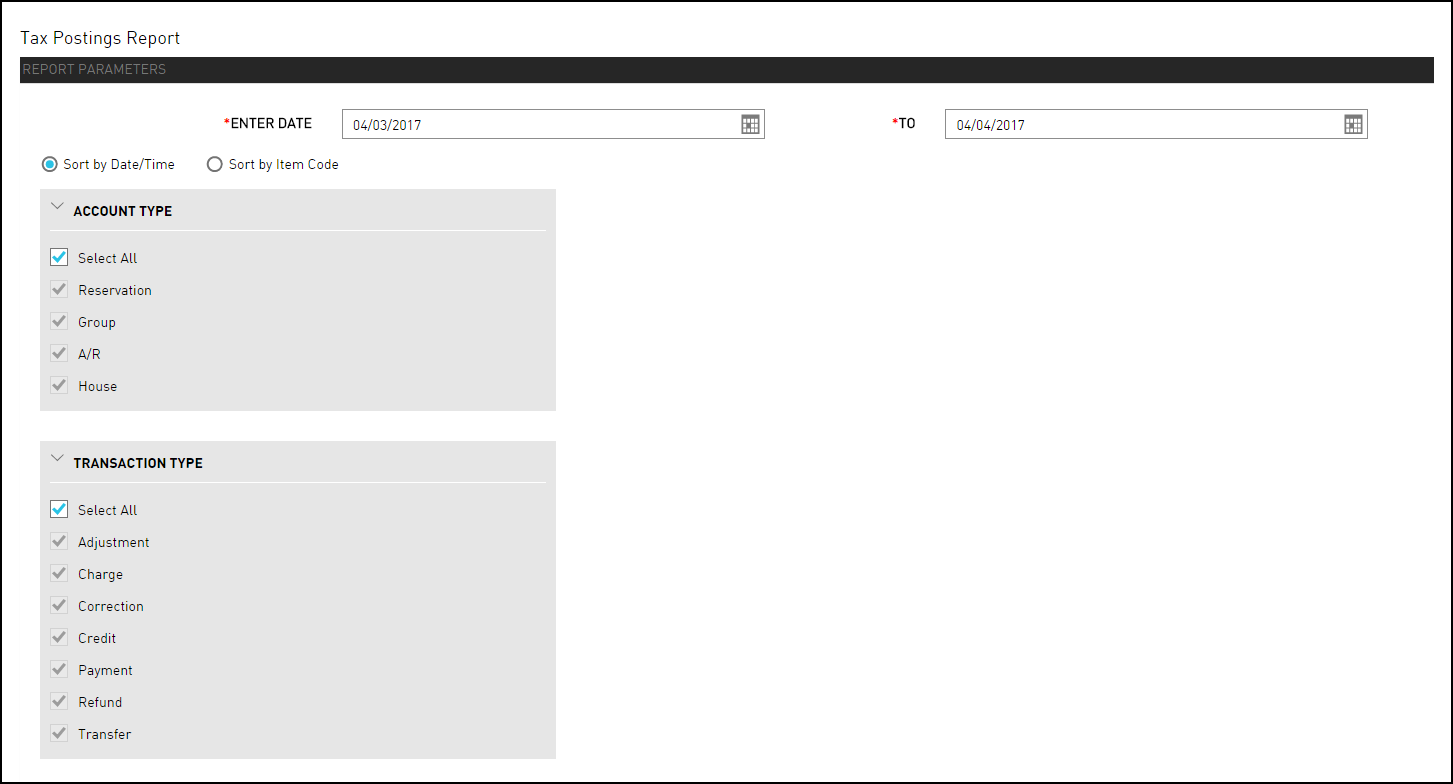
Select a date from the calendar to generate dates for the report.
Choose which sorting options to include in the report:
|
Field |
Description |
|---|---|
|
Sort by Date/Time |
Sorts the report alphanumerically by date and time. |
|
Sort by Item Code |
Sort the report alphanumerically by item code. |
Choose which Account Type field to include in the report.
Choose which Transaction Type field to include in the report.
Click Generate. The report with the selected data appears.
Click Print to send a copy of the report to the printer.
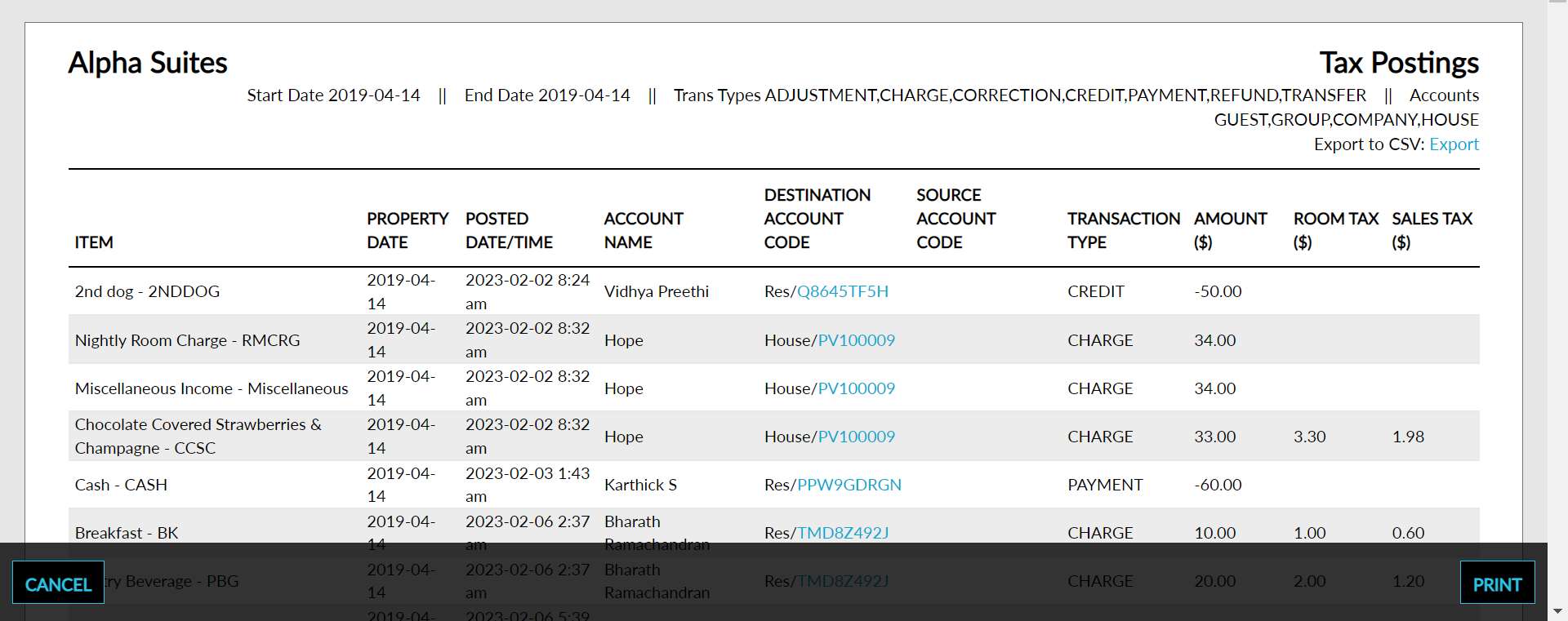
Sample Report
Report Parameters
This report displays the following parameters:
|
Field |
Description |
|---|---|
|
Item |
The posted item grouped by category of each transaction. |
|
Property Date |
The current date of the property. |
|
Posted Date/Time |
The date the tax postings were made |
|
Account Name |
The name on the account. |
|
Destination Account Code |
The account code of each posting item that has at least one transaction identified as tax on the selected date. |
|
Source Account Code |
The account code of each posting item that has at least one transaction identified as tax on the selected date. |
|
Transaction Type |
Identifies the transaction type: charge, credit, payment, refund, adjustment and correction. |
|
Amount |
The sum of all postings identified as tax on the selected date. Amount includes each price times quantity. |
|
Sales Tax |
The amount charged as sales tax. |